
HTTPXYZ

Important
We started this fork because there was no activity on HTTPX, a very popular Python HTTP library.
A few weeks later, Pydantic started their own fork called HTTPX2. We decided to embrace this and support HTTPX2. We're upstreaming our fixes to HTTPX2 and in our opinion it should be the "blessed" fork. Pydantic can make this more successful than we ever can.
See also https://tildeweb.nl/~michiel/httpx2.html
Thanks for all your support!
Sander & Michiel
HTTPXYZ (pronounced "HTTP-ex-why-zee") is a fully featured HTTP client for Python 3, which provides sync and async APIs, and support for both HTTP/1.1 and HTTP/2.
About this fork
HTTPXYZ is the maintained fork of HTTPX.
HTTPX had no patch release after November 2024, while several issues affecting real-world usage remained unresolved. We felt that users who depend on HTTPX deserved continued maintenance, so we created this fork to provide that.
Our goal for this fork is stability so bug fixes only and no breaking APIs.
We mean no harm to the original authors; HTTPX is excellent work and we have great respect for everyone involved. We are aware that work on a next-generation rewrite ("httpx next") has been under way for some time, and we genuinely hope that project sees the light of day. Our preferred outcome is no fork at all: a maintained HTTPX with regular releases. But in the absence of that, we believe a maintained fork is the next best option for the community.
Migrating from HTTPX
For most users, migration is a one-line change:
import httpxyz as httpx
That's it: HTTPXYZ is a drop-in replacement; all APIs, exceptions, and behaviour are identical. For more details and more advanced scenarios, check httpx-compatibility
If you want to use HTTPXYZ natively:
import httpxyz
r = httpxyz.get("https://www.example.org/")
Install HTTPXYZ using pip:
$ pip install httpxyz
Now, let's get started:
>>> import httpxyz
>>> r = httpxyz.get('https://www.example.org/')
>>> r
<Response [200 OK]>
>>> r.status_code
200
>>> r.headers['content-type']
'text/html; charset=UTF-8'
>>> r.text
'<!doctype html>\n<html>\n<head>\n<title>Example Domain</title>...'
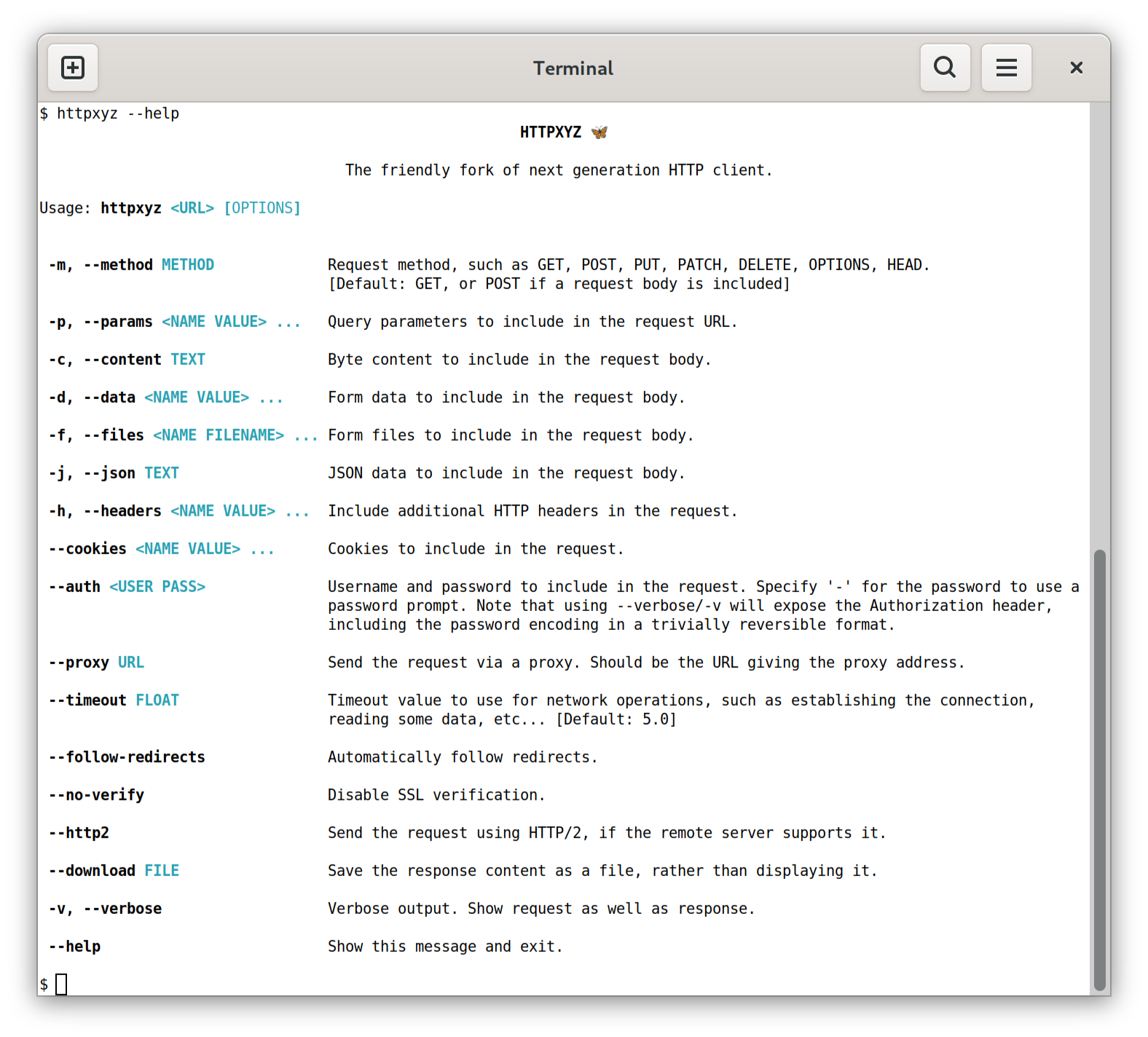
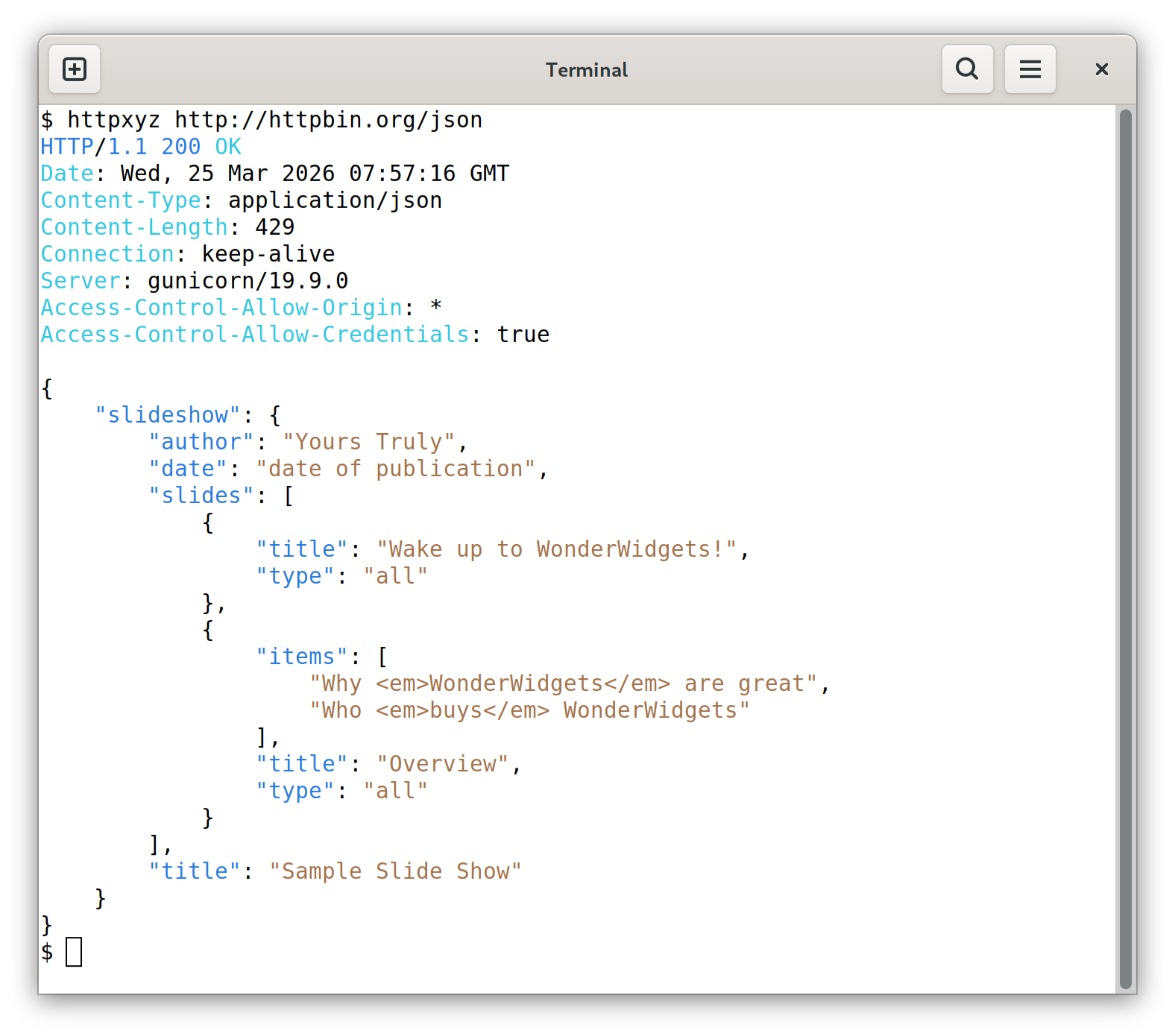
Or, using the command-line client.
# The command line client is an optional dependency.
$ pip install 'httpxyz[cli]'
Which now allows us to use HTTPXYZ directly from the command-line...
Sending a request...
Features
HTTPXYZ builds on the well-established usability of requests, and gives you:
- A broadly requests-compatible API.
- Standard synchronous interface, but with async support if you need it.
- HTTP/1.1 and HTTP/2 support.
- Ability to make requests directly to WSGI applications or ASGI applications.
- Strict timeouts everywhere.
- Fully type annotated.
- 100% test coverage.
Plus all the standard features of requests...
- International Domains and URLs
- Keep-Alive & Connection Pooling
- Sessions with Cookie Persistence
- Browser-style SSL Verification
- Basic/Digest Authentication
- Elegant Key/Value Cookies
- Automatic Decompression
- Automatic Content Decoding
- Unicode Response Bodies
- Multipart File Uploads
- HTTP(S) Proxy Support
- Connection Timeouts
- Streaming Downloads
- .netrc Support
- Chunked Requests
Why Codeberg?
We chose Codeberg rather than GitHub deliberately. The tech community has become heavily dependent on a single platform for open source hosting, and we think that concentration of infrastructure carries real risk. Codeberg is a non-profit, community-driven alternative built on Forgejo, and we want to encourage a more distributed ecosystem.
Documentation
For a run-through of all the basics, head over to the QuickStart.
For more advanced topics, see the Advanced section, the async support section, or the HTTP/2 section.
The Developer Interface provides a comprehensive API reference.
To find out about tools that integrate with HTTPXYZ, see Third Party Packages.
Dependencies
The HTTPXYZ project relies on these excellent libraries:
httpcore- The underlying transport implementation forhttpxyz.h11- HTTP/1.1 support.certifi- SSL certificates.idna- Internationalized domain name support.sniffio- Async library autodetection.
As well as these optional installs:
h2- HTTP/2 support. (Optional, withhttpxyz[http2])socksio- SOCKS proxy support. (Optional, withhttpxyz[socks])rich- Rich terminal support. (Optional, withhttpxyz[cli])click- Command line client support. (Optional, withhttpxyz[cli])brotliorbrotlicffi- Decoding for "brotli" compressed responses. (Optional, withhttpxyz[brotli])zstandard- Decoding for "zstd" compressed responses. (Optional, withhttpxyz[zstd])
A huge amount of credit is due to requests for the API layout that
much of this work follows, as well as to urllib3 for plenty of design
inspiration around the lower-level networking details.
Installation
Install with pip:
$ pip install httpxyz
Or, to include the optional HTTP/2 support, use:
$ pip install httpxyz[http2]
To include the optional brotli and zstandard decoders support, use:
$ pip install httpxyz[brotli,zstd]
HTTPXYZ requires Python 3.9+